
Live & EventsLive & Events overviewLive StreamingBrowser StudioSimulated LiveVenue ConnectivityStream MonitoringContent Delivery NetworkMobile StreamingSatellite Rebroadcast
LanguagesLanguages overviewOmniTranslate LiveLanguages overviewCaptions & TranscriptsLive Event LanguagesMultilingual On-Demand & CoursesField & Remote ReportsMultilingual Discussion RoomsMultilingual AnnouncementsVoice-Matched DubbingDigital PresenterGlossary & Quality Review
Create & EditCreate & Edit overviewCreate & Edit overviewSmart ClipsRecap StudioChapters & Companion Content
Library & ScreensLibrary & Screens overviewLibrary & Screens overviewEvery ScreenVideo on DemandCollections & CoursesArchive MigrationConnected TV & IPTVBranded Mobile AppsWeb Portal & PlayerSocial ReachAudio & PodcastsCast to ScreenDone-for-You Apps
24/7 TV24/7 TV overview24/7 TV NetworkPlanBuildRunGrowWho it is forChannel examplesTalk to the teamTV Carriage & Partner Delivery
RadioRadio overviewRadio StreamingMusic Licensing & RoyaltiesAudio & Podcasts
Engage & MonetizeEngage & Monetize overviewEngage & Monetize overviewAdvertising & SponsorshipPayments, Fundraising & PaywallsLive Chat & Q&AViewer Support DeskCommunities & GroupsEvents & RegistrationCrew SchedulingAttendee Check-in
InsightsInsights overviewInsights & Control overviewAudience AnalyticsAccess & Security
SolutionsSolutions overviewSolutions overviewGovernment & Public SectorEntertainment & MediaBusiness & EnterpriseAssociations & NonprofitsSportsNews & BroadcastEducation & EventsHouses of WorshipBeyond Social-Only StreamingSwitching Streaming Platforms
AI DevelopmentAI Development overviewReadiness & RoadmapApplications Built to OrderGenerative Content StudioWorkflow AgentsVideo & Audio UnderstandingSpeech & Language SystemsData FoundationsModel Operations & OversightArchive Search EngineHighlight FinderService AssistantRecords IntelligenceAudience ForecastingReview & Compliance ChecksAI Development overviewGovernment & Public SectorMedia & EntertainmentSports & Live EventsBusiness & EnterpriseEducation & TrainingAssociations & NonprofitsNews & BroadcastAI InsightsHow we workResponsible AI
General AIGeneral AI overviewAI Strategy & AdvisoryCustom AI ApplicationsGenerative AI & Language ModelsAI Agents & AssistantsBack-Office AutomationMachine Learning & ForecastingImage Recognition & InspectionLanguage & Document IntelligenceData Pipelines & AI ReadinessConnecting AI to Your SystemsProduction Rollout & SupportAI Security & GovernanceAI for Your IndustryWays to Work With Us
CompanyCompany overviewWhy Omni Media CastAboutPlans & ways to startResourcesCompare approachesFAQPlain-Word GlossaryTrust & SecuritySupportContact
24/7 TV
  1. 1Plan
  2. 2Build
  3. 3Run
  4. 4Grow
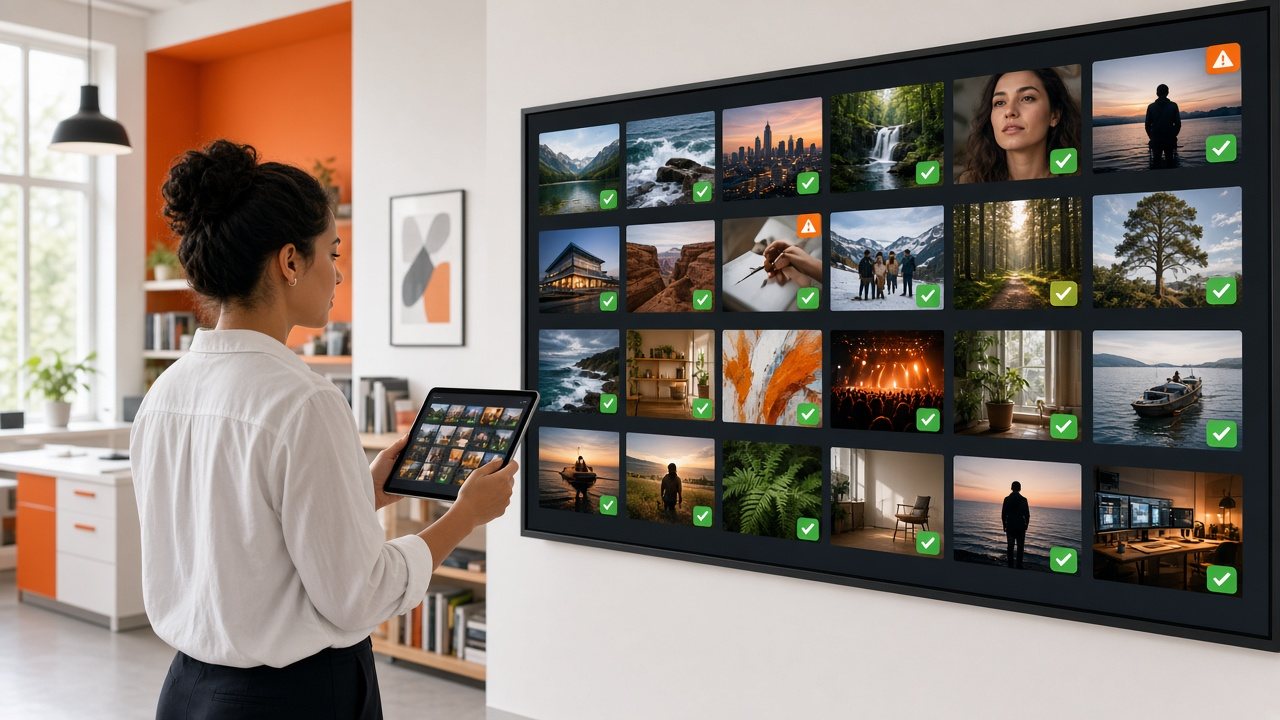
A woman checking a tablet in front of a wall display of video thumbnails with green ready badges and a few orange flags
Build · Content

Check content at the door, keep it in one library

Omni Intake Desk inspects each file and feed as it arrives. Omni Media Vault gives every approved item one searchable home.

  • You will leave with
  • A status on every item: ready, processing or flagged
  • Search, preview and notes in one library
  • Items that can be reused across channels
01

Omni Intake Desk: where problems are cheapest to fix

Most on-air failures could have been caught at the door: a missing audio track, the wrong frame rate, a file that stops short. The intake desk checks media as it arrives, so the fix happens at your desk and not in front of an audience.

  • Browser upload

    Add files straight from a computer, with progress shown and the option to resume an interrupted transfer.

  • Library transfer

    Moving an existing library from another system is planned with you, based on how much you have and where it lives.

  • Live feeds

    Connect a live encoder or contribution link and book it into the line-up like any other item.

  • Capture and reuse

    Record a live broadcast automatically or by hand and publish the recording soon after the show ends.

02

What happens after upload

  1. Analyze

    The file is inspected.

  2. Convert

    Several quality levels are prepared for adaptive streaming.

  3. Label

    Each item shows ready, processing or flagged.

  4. Clear

    Only cleared items can reach the line-up.

  • Thumbnails and preview copies for quick checking
  • Descriptions, tags and other details you can edit after upload
  • Short items are usually ready quickly; a large batch takes longer, so upload ahead of the week you plan to air it
03

Omni Media Vault: a library built around the channel

When files live on laptops, drives and email attachments, it is hard to know what you own, what is ready to air and what has expired. The vault gives each item a single home with its details, duration, thumbnails and status.

  • Search and tags

    Find items by title, series, genre or your own tags, and group them into folders, collections or seasons.

  • Preview before air

    Play a lightweight copy in the browser to confirm you have the right version.

  • Rights and expiry notes

    Record when an item may air and when it must come down, so the line-up does not depend on anyone's memory.

  • Shared access

    Invite colleagues with the permissions they need, from upload-only to full scheduling.

The same item can appear on your 24/7 channel, in an on-demand catalog and in an archive of past live shows. On-demand publishing runs through Video on Demand, so there is no separate tool to learn.

04

At a glance

Files
Uploaded in the browser and converted for adaptive streaming. Send a sample of your usual files and we will confirm how they will be handled.
Live feeds
Received from a live encoder, then checked with you before the first broadcast.
Access
Roles for uploading, reviewing and scheduling.
Storage and retention
Scoped with you for your catalog size and how long items need to be kept.
Can I move an existing library in?

Yes. Tell us how large it is and where it sits now, and we will plan the transfer and a realistic timeline with you.

Can volunteers or non-technical staff use it?

The interface is designed for people who know the programming, and we can help set up roles on day one.