Live & EventsLive & Events overviewLive StreamingBrowser StudioSimulated LiveVenue ConnectivityStream MonitoringContent Delivery NetworkMobile StreamingSatellite Rebroadcast
LanguagesLanguages overviewOmniTranslate LiveLanguages overviewCaptions & TranscriptsLive Event LanguagesMultilingual On-Demand & CoursesField & Remote ReportsMultilingual Discussion RoomsMultilingual AnnouncementsVoice-Matched DubbingDigital PresenterGlossary & Quality Review
Create & EditCreate & Edit overviewCreate & Edit overviewSmart ClipsRecap StudioChapters & Companion Content
Library & ScreensLibrary & Screens overviewLibrary & Screens overviewEvery ScreenVideo on DemandCollections & CoursesArchive MigrationConnected TV & IPTVBranded Mobile AppsWeb Portal & PlayerSocial ReachAudio & PodcastsCast to ScreenDone-for-You Apps
24/7 TV24/7 TV overview24/7 TV NetworkPlanBuildRunGrowWho it is forChannel examplesTalk to the teamTV Carriage & Partner Delivery
RadioRadio overviewRadio StreamingMusic Licensing & RoyaltiesAudio & Podcasts
Engage & MonetizeEngage & Monetize overviewEngage & Monetize overviewAdvertising & SponsorshipPayments, Fundraising & PaywallsLive Chat & Q&AViewer Support DeskCommunities & GroupsEvents & RegistrationCrew SchedulingAttendee Check-in
InsightsInsights overviewInsights & Control overviewAudience AnalyticsAccess & Security
SolutionsSolutions overviewSolutions overviewGovernment & Public SectorEntertainment & MediaBusiness & EnterpriseAssociations & NonprofitsSportsNews & BroadcastEducation & EventsHouses of WorshipBeyond Social-Only StreamingSwitching Streaming Platforms
AI DevelopmentAI Development overviewReadiness & RoadmapApplications Built to OrderGenerative Content StudioWorkflow AgentsVideo & Audio UnderstandingSpeech & Language SystemsData FoundationsModel Operations & OversightArchive Search EngineHighlight FinderService AssistantRecords IntelligenceAudience ForecastingReview & Compliance ChecksAI Development overviewGovernment & Public SectorMedia & EntertainmentSports & Live EventsBusiness & EnterpriseEducation & TrainingAssociations & NonprofitsNews & BroadcastAI InsightsHow we workResponsible AI
General AIGeneral AI overviewAI Strategy & AdvisoryCustom AI ApplicationsGenerative AI & Language ModelsAI Agents & AssistantsBack-Office AutomationMachine Learning & ForecastingImage Recognition & InspectionLanguage & Document IntelligenceData Pipelines & AI ReadinessConnecting AI to Your SystemsProduction Rollout & SupportAI Security & GovernanceAI for Your IndustryWays to Work With Us
CompanyCompany overviewWhy Omni Media CastAboutPlans & ways to startResourcesCompare approachesFAQPlain-Word GlossaryTrust & SecuritySupportContact

Engage & Monetize

Crew Scheduling

Plan roles around each event, schedule teams, send reminders and fill open slots.

The challenge

Why this matters

Streaming an event takes a crew: camera, audio, graphics, a producer. A group chat is not a roster.

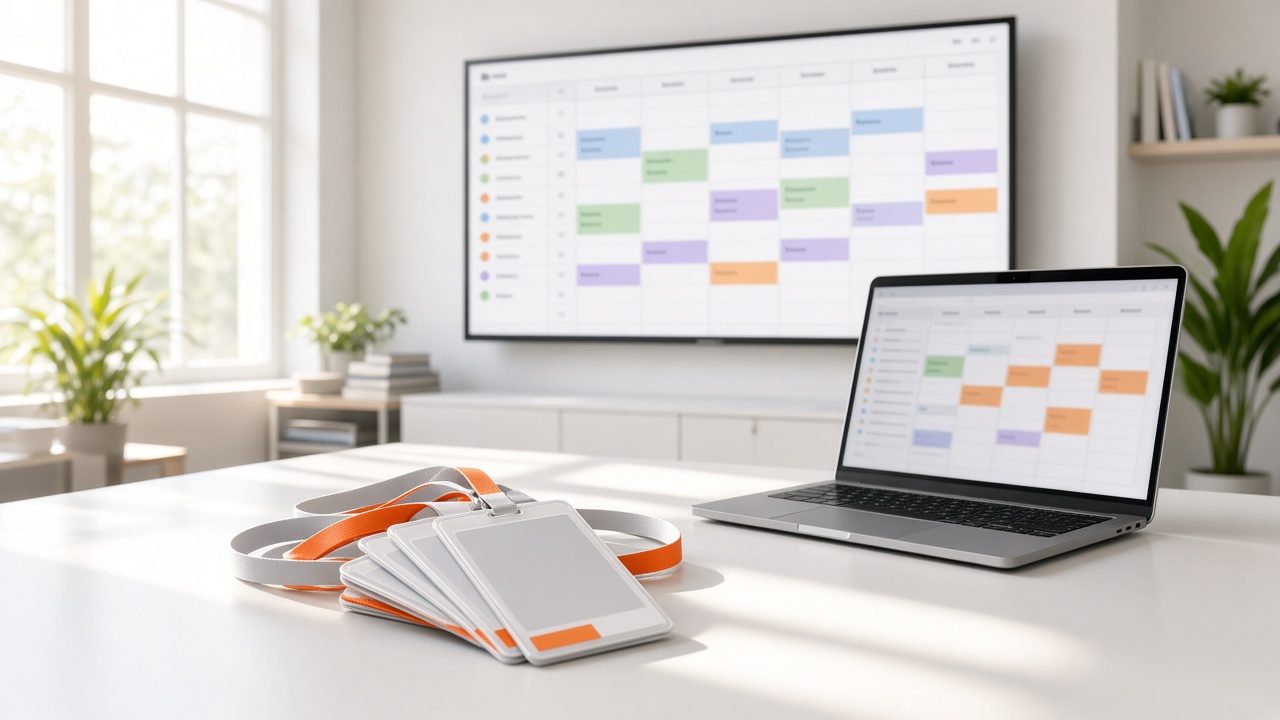
Wall screen and laptop showing a color-coded crew schedule beside event lanyards
Crew Scheduling

What it is

Crew Scheduling in plain words

Crew Scheduling plans roles around the event, schedules teams, sends reminders and fills open slots. Training stays where the team can find it, and everyone sees the plan for each event.

Benefits

What you get

Clear roles

Who does what.

Reminders

Sent automatically.

Fill gaps

Open slots visible.

Training

Notes in one place.

How it works

Simple to start, simple to run

Step 1

Define roles

For each event.

Step 2

Schedule

Send reminders.

Step 3

Train

Share guides.

Step 4

Review

Improve the plan.

Details

What is included

Planning
  • Roles
  • Shifts
Communication
  • Reminders
  • Open-slot requests
Training
  • Guides
  • Checklists

Illustrative scenario

A university sports team schedules student camera operators for every home match.

Executive presenting at a company all-hands with a camera and laptop streaming it

Engagement inside the viewing experience

Chat, payments, events and teams live in the same account as your streams.

Request a demo →

Questions

Common questions

Can crew swap shifts?

Yes.

Is it only for streaming crews?

No. Any team can use it.

Can I see history?

Yes.

Ready for Crew Scheduling?

Tell us about your project and we will reply with a clear plan.